Background
Historically, you need at least 2 layouts at a computer - English and Russian.
On top of that, I’ve been using Colemak-type layouts (Vanilla / DH / CAWS) for a while, plus custom Russian modifications like RulemakDH or RulemakCAWS (see Rulemak-CAWS.md)
And all of this across two different matrices - regular Staggered ANSI and a split Columnar one.
Still haven’t reached any kind of ideal. It’s just clear that ANSI and Split keyboards need different layouts.
It would be great to ditch ANSI keyboards completely. But a couple times a week I have to use a laptop, and lugging the split around every time isn’t always convenient.
So I constantly have to tweak layout configs. Change them. Adjust for different keyboards. Different tasks.
XKB: what it is and why it’s pain
XKB (X Keyboard Extension) is the standard keyboard layout system on Linux. It’s under the hood of both X11 and Wayland. The entire keyboard - from keypress to character on screen - goes through XKB.
You can define multiple layers (Base, Shift, AltGr, AltGr+Shift). Assign any symbols to any keys. Dead keys, compose sequences, modifier remapping. Whatever you want.
XKB configuration means text files. It looks roughly like this:
key <AD01> {
    type[group1]= "ALPHABETIC",
    symbols[Group1]= [ q, Q, backslash, division ]
};
key <AD02> {
    type[group1]= "ALPHABETIC",
    symbols[Group1]= [ w, W, U0312, division ]
};
One block per key. One symbol per layer. Times 50+ keys.
And you sit there with a keysym table, manually transcribing symbols, constantly double-checking so you don’t mess up. Inconvenient, easy to make mistakes, etc etc.
So yeah, that’s exactly what drove me to build xkb.sccl.cc.
xkb.sccl.cc
A visual XKB layout editor for Linux. In the browser.
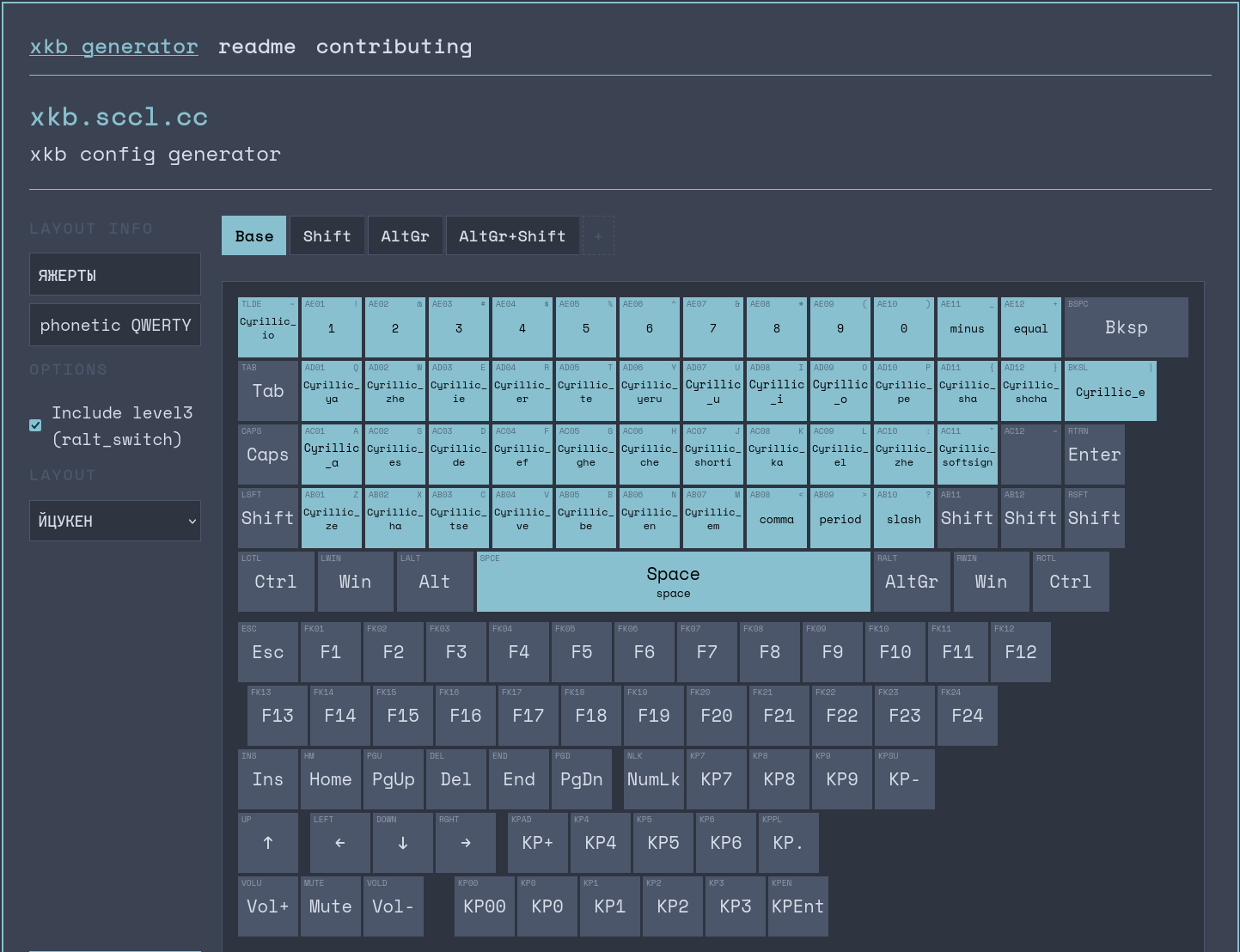
Nothing special - just a QoL thing. Click the buttons you need, copy the config, off you go.
Built with Zine - the same Zig SSG that powers the main sccl.cc. Pure HTML+CSS+JS, no frameworks, everything client-side.
All standard XKB symbols for binding are already on the site. But XKB can take any Unicode character, so you’re not limited to just those.
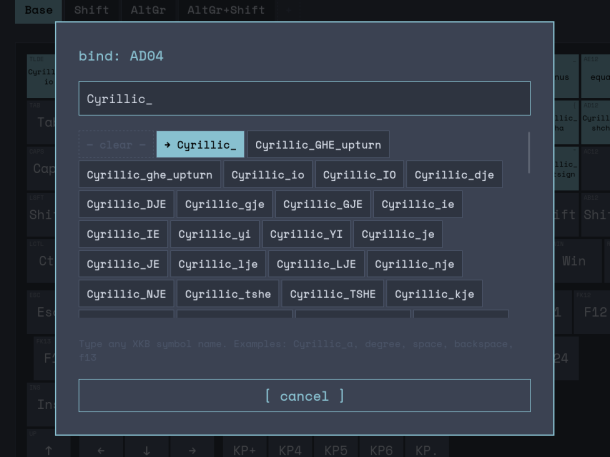
The idea is simple: you click a key on the on-screen keyboard, a keysym search pops up, you pick the symbol. Repeat for each layer. Done - hit “copy xkb config” or download the .xkb file.
How to use
Generated a config - two ways to apply:
Quick (temporary):
xkbcomp my-layout.xkb $DISPLAY
Applies immediately. Until reboot or relogin.
Persistent:
Drop the .xkb file in /etc/X11/xkb/symbols/, edit evdev.xml so the system knows about your layout. Or use your DE’s keyboard settings.
On NixOS with sccl_nix the layout is already parametrized - you can drop the generated config alongside and hook it up via sccl.keyboard.
Contributing
The site stores configs in localdata in its own format. You can download it as JSON at any time.
If you’ve cooked up a decent layout - create a PR: drop the JSON into assets/presets/ and the layout shows up in the presets list on the site.
you can PR on github too, but it’s not quite as convenient for me.
maybe I’ll add direct import from existing xkb configs later. would be nice.
Everything is, of course, open source.